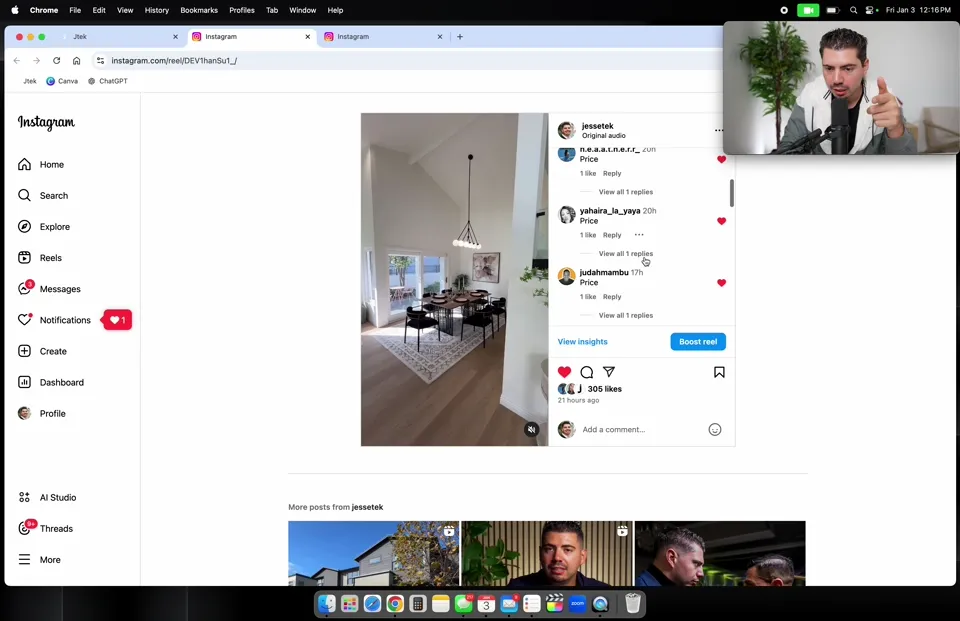
Auto-reply to Instagram comments and DMs
Someone comments a keyword, Jtek DMs them the link and saves the lead.
app.jtek.pro
DashboardLast 30 days ▾
New leads 61 ▲ +12% vs last month
Appointments 13 ▲ +2 booked
Conversations 248 ▲ +17 this week
Pipeline value $5.4M ▲ +$540K this week
New leads61 total, 9 today
Fri Sat Sun Mon Tue Wed Thu
Automation Workflows Overview ⚙ Global Workflow Settings
Workflows list Create folder ✦ Build using AI + Create workflow
Name Status Last updated
Speed to Lead Text Published Sep 29, 2026
Open house follow up Published Sep 21, 2026
← Workflows list Instagram comment to DM ✎ ☁ Saved
Standard builder ▾ Builder Settings Enrollment history Execution logs Test workflow Draft Publish
+ Add new trigger
Please select action
END
← Workflows list Instagram comment to DM ✎ ☁ Saved
Standard builder ▾ Builder Settings Enrollment history Execution logs Test workflow Draft Publish
Add Trigger Adds a workflow trigger, and on execution, the Contact gets added to the workflow.
🔍 Instagram
Triggers Apps
Instagram - Comment(s) on a Post
← Workflows list Instagram comment to DM ✎ ☁ Saved
Standard builder ▾ Builder Settings Enrollment history Execution logs Test workflow Draft Publish
← Back Learn more ×
Workflow Trigger Adds a workflow trigger, and on execution, the Contact gets added to the workflow.
CHOOSE A WORKFLOW TRIGGER
Instagram - Comment(s) on a Post ▾
FILTERS
Page Is
Your Instagram page
Post Type Is
Published Post
Contains Phrase
HOMETOUR ×
+ Add filters
Track First Level Comments Only
Cancel Save trigger
← Workflows list Instagram comment to DM ✎ ☁ Saved
Standard builder ▾ Builder Settings Enrollment history Execution logs Test workflow Draft Publish
Trigger Instagram - Comment(s) on a Post
+
END
← Workflows list Instagram comment to DM ✎ ☁ Saved
Standard builder ▾ Builder Settings Enrollment history Execution logs Test workflow Draft Publish
Trigger Instagram - Comment(s) on a Post
+
END
← Back Learn more ×
Reply In Comments Replies to the comment on the post. Applies to comment triggers only.
CREATE MULTIPLE COMMENT TO BE SENT RANDOMLY AS COMMENT REPLIES
Sending you a DM now!
Check your DMs
Incoming DM
+ Add New Response
Cancel Save action
← Workflows list Instagram comment to DM ✎ ☁ Saved
Standard builder ▾ Builder Settings Enrollment history Execution logs Test workflow Draft Publish
Trigger Instagram - Comment(s) on a Post
Respond On Comment Replies at random
+
END
← Workflows list Instagram comment to DM ✎ ☁ Saved
Standard builder ▾ Builder Settings Enrollment history Execution logs Test workflow Draft Publish
Trigger Instagram - Comment(s) on a Post
Respond On Comment Replies at random
+
END
← Workflows list Instagram comment to DM ✎ ☁ Saved
Standard builder ▾ Builder Settings Enrollment history Execution logs Test workflow Draft Publish
Trigger Instagram - Comment(s) on a Post
Respond On Comment Replies at random
+
← Back Learn more ×
Instagram Interactive Messenger Sends an Instagram message to the contact. They must have messaged your page in the last 24 hours, which does not apply to comment replies.
ACTION NAME
Instagram Interactive Messenger
REPLY TYPE
Reply to comment via DM ▾
MESSAGE
Hi! Tap below and I will send the tour.
BUTTONS
Send me the link
Send me other homes
Cancel Save action
← Workflows list Instagram comment to DM ✎ ☁ Saved
Standard builder ▾ Builder Settings Enrollment history Execution logs Test workflow Draft Publish
Trigger Instagram - Comment(s) on a Post
Respond On Comment Replies at random
Instagram Interactive Messenger Reply to comment via DM
Send me the link
Instagram Interactive Messenger Reply to DM: the tour link
Send me other homes
Instagram Interactive Messenger Reply to DM
Watch the full walkthrough2 min 2 Add the trigger# Go to Automation and click + Create workflow . Click Add new trigger , search Instagram and pick Instagram - Comment(s) on a Post . Set the filters: Page Is your page, Post Type Is Published Post, Post Is the reel, and Contains Phrase with your keyword, like HOMETOUR. Leave Track First Level Comments Only on, then click Save trigger . Instagram comment Keyword: HOMETOUR
Respond On Comment Sending you a DM now!
Send the DM Send me the link, Send me other homes
Example recipe
Pick a word nobody says by accident. A common word like home would fire it in the middle of a normal chat. 3 Reply to the comment# Click + and add Respond On Comment . Write a few short replies, like Sending you a DM now. Jtek picks one at random so they never look copied. Click Save action . Then click + again and add a tag, like instagram lead. 4 Send the DM# Click + and add Instagram Interactive Messenger . Set Reply type to Reply to comment via DM and write your message. Add up to two buttons, like Send me the link and Send me other homes. Each button gets its own path, next to Default Timeout for people who do not tap. Under each button path, add another Instagram Interactive Messenger that sends what they asked for. Then turn on Publish . 5 Post and test# Tell people to comment the keyword in your caption. Comment it from another account to test. Pick one keyword per post so you know what is working. Still stuck? Ask Jtek AI. It knows your account and answers in seconds.
Ask Jtek AI Checked against the Jtek app in October 2026.